



Authentication proof stays separate from Unix identity.
The long-running device flow lives in a local broker outside PAM. PAM only consumes a root-owned, short-lived approval marker for the exact selected account. NSS/SSSD remains authoritative for the Unix identity.
Security-first login plumbing.
Built for a login stack where failure should be explicit, recoverable and boring.
Smartphone approval
OIDC Device Authorization with WebAuthn/passkey verification at the identity provider.
Password fallback
The existing password route stays structurally available when no valid remote approval exists.
Identity binding
Authentication proof is bound to the selected Linux account while NSS/SSSD remains authoritative.
Provider-neutral OIDC
Authelia by default, plus discovery-based support for standards-compliant providers.
Optional FIDO2/U2F
Local hardware keys remain an ambient upstream PAM path through pam_u2f.
KWallet hand-off
Optional best-effort unlock through a dedicated root-only local secret service.
Recovery tooling
Preflight, doctor, rollback and break-glass paths are designed to avoid login lockout.
Supply-chain gates
Signed packages, SBOMs, CodeQL, dependency review, Scorecard and protected-main CI.
The login states are tested as pixels, not just code paths.
The deterministic visual-regression suite covers the normal login card, smartphone flow, error states, mechanism selection and responsive cases.
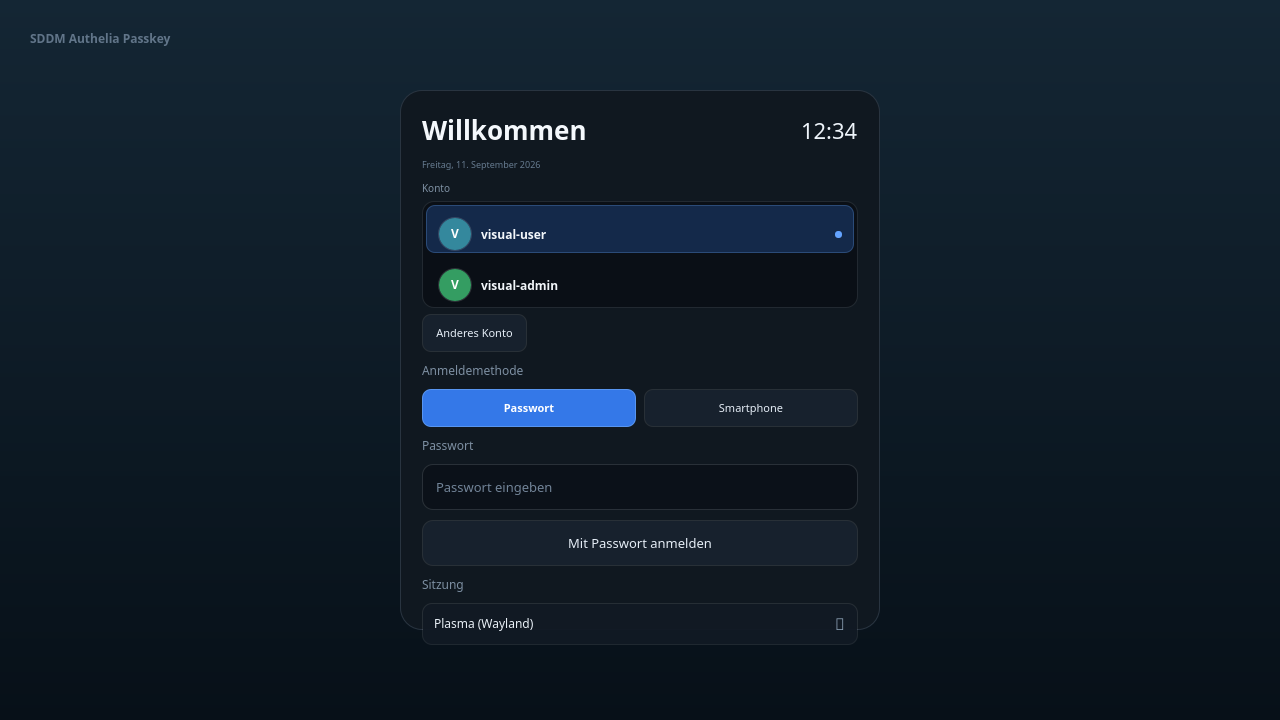
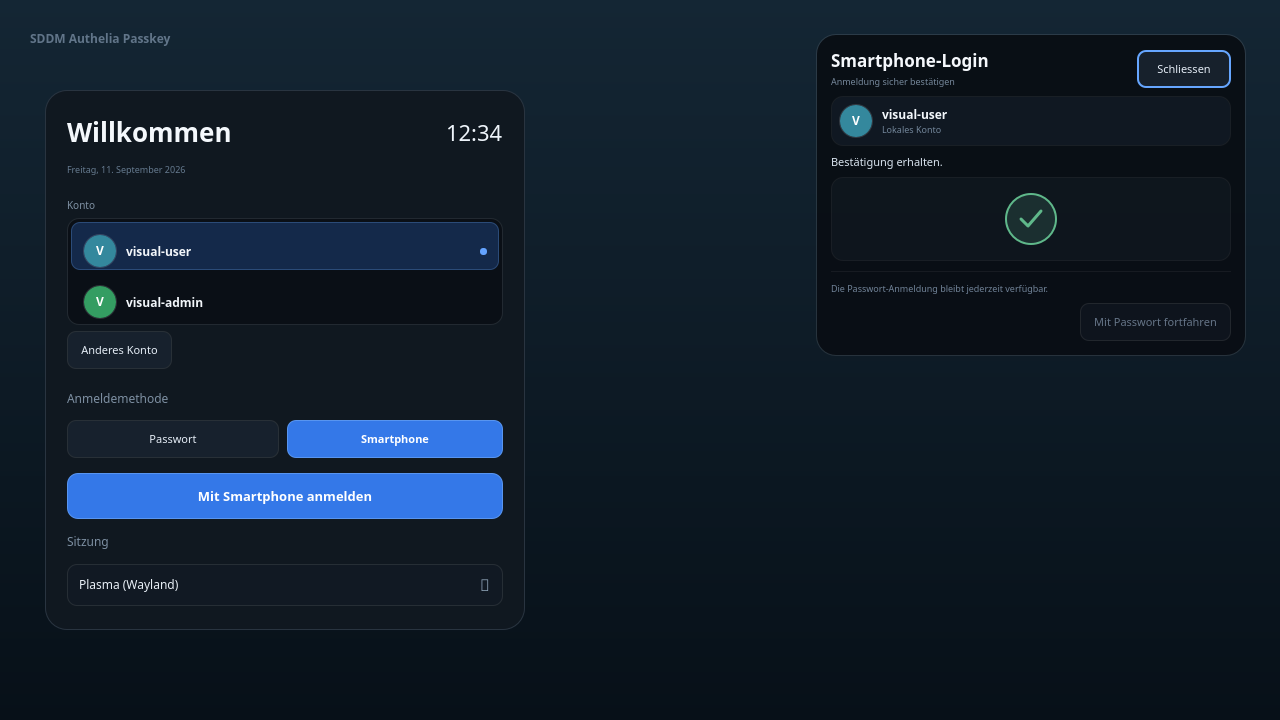
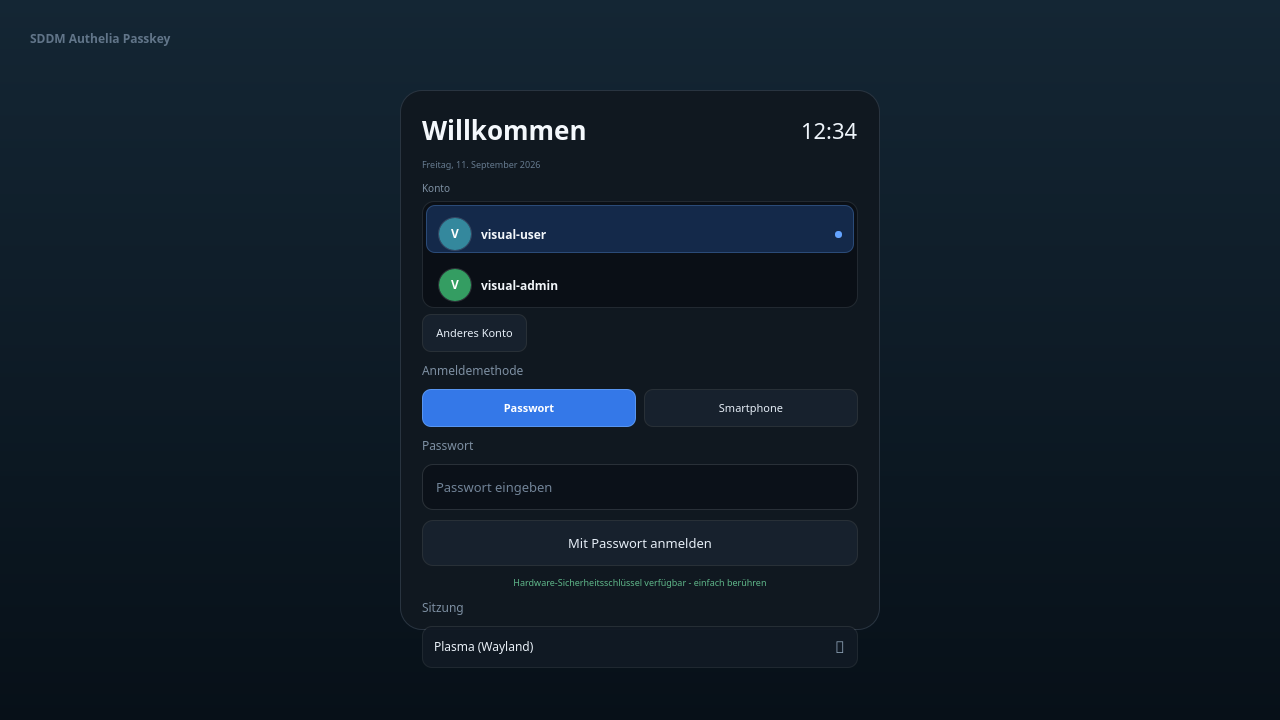
Install from the signed Debian 13 APT repository.
Packages published on the APT mirror match the signed GitHub release assets. The installer deliberately does not restart SDDM for you.
curl -fsSL https://apt.s3-dev.ovh/trixie-KEY.gpg \
  | sudo gpg --dearmor \
  -o /etc/apt/trusted.gpg.d/sddm-authelia-passkey-repo.gpg

echo "deb [signed-by=/etc/apt/trusted.gpg.d/sddm-authelia-passkey-repo.gpg] https://apt.s3-dev.ovh trixie main" \
  | sudo tee /etc/apt/sources.list.d/sddm-authelia-passkey.list

sudo apt update
sudo apt install sddm-authelia-passkey
No authentication authority in QML.
The Native Theme presents state and starts existing actions. It never decides whether authentication succeeded.
v2.14.0
Keyboard navigation, focus recovery, responsive selector stacking, compact smartphone confirmation layout and a corrected safe-cancel window.
Toward the generic authentication mechanism framework.
The public GitHub Project is the live planning surface. The repository roadmap contains the detailed technical acceptance criteria.
Provider-neutral OIDC, identity provenance, diagnostics, capability discovery, real provider conformance, failure policy and transaction binding.
Capability-driven mechanism offering, generic mechanism model, visible selection UI, keyboard interaction, responsive UX and polished smartphone flow.
Closure gate for the generic mechanism framework, with remaining provider/hardware validation tracked as explicit issues and milestones.
Common questions.
Does this replace my Linux password?
No. The project is additive. If no valid approval marker exists, PAM continues through the normal password path.
Does the theme itself authenticate users?
No. QML is presentation only. SDDM, PAM, the broker and NSS/SSSD retain the authentication and identity authority.
Can I use a local FIDO2 key?
Yes, optionally through the existing pam_u2f path. That mechanism is ambient and is not presented as a fake clickable passkey button.
Is smartcard login implemented?
No. The UI intentionally does not advertise mechanisms that have no real capability signal and backend action.
Which systems are supported?
The validated reference environment is Debian 13, SDDM 0.21.x, KDE Plasma 6, Authelia 4.39+ and systemd 257+. Other environments are experimental unless documented.
Fail closed where trust matters, fall back safely where recovery matters.
Approval markers are root-owned, short-lived and single-use. Provider origins are validated, identity proof is separated from Unix identity, unknown PAM layouts are refused, and protected `main` requires the aggregate CI Gate.
Questions, ideas and contributions are public by default.
Use Discussions for support and early design work, issues for concrete defects/features, and pull requests for reviewed changes. Security reports use the private process described in the repository policy.